Translating your menu into English and other languages: a menu for visitors
How to translate a menu for tourists without funny mistakes: what to translate, how to write dish names and ingredients, where machine translation helps.
Vitrina team5 minute read
Contents
In short
A guest who can’t understand the menu flips through it quickly and orders “what they know”, while a translation gives them the whole choice back.
Keep and explain the names of signature dishes, and translate ingredients and allergens precisely.
Machine translation is a good first draft: the machine translates, a person checks.
Start with English, then add your guests’ languages; a digital menu shows one language and switches with one tap.
Who needs a menu in other languages
Tourists, students, workers from abroad and, if your café is run by people from another country, the locals who don’t read your language. A guest who can’t understand the menu flips through it quickly and orders “what they know”. A guest who understands what is in a dish dares to try your signature one, so a translated menu works for sales, not just for politeness.
What to translate and what to keep
| Part of the menu | How to translate it | Example |
|---|---|---|
| Names of signature dishes | Keep the name and add an explanation | “Varenyky (dumplings with potato filling)” |
| Ingredients and allergens | Always, and precisely | “Contains: wheat flour, eggs, cream” |
| Menu sections | Short and clear | “Soups”, “Desserts”, “Drinks” |
| Mood descriptions | Adapt rather than translate word for word | “Just like grandma’s” |
Machine translation: yes, but checked
Modern machine translation is a good first draft of a menu. It translates a hundred items quickly, but it can get dish names, local products and portions wrong. So the rule is simple: the machine translates, and a person who knows the language checks it. Here is the order of work:
- 1
The machine makes a draft
Translate the whole menu in one go: names, descriptions, portions and options. That way you see at once how much is left for a person to do.
- 2
A person reads the names
Someone who knows the language checks the dish names and local products: this is exactly where a machine can go wrong.
- 3
Check ingredients and portions carefully
Check the ingredients, allergens, weights and volumes: in every language they must describe the same dish.
- 4
Changed a dish? Check the translation
New ingredients or a new portion are a reason to reread the translation: the old one may now describe a different dish.
Allergens as marks, not only as text
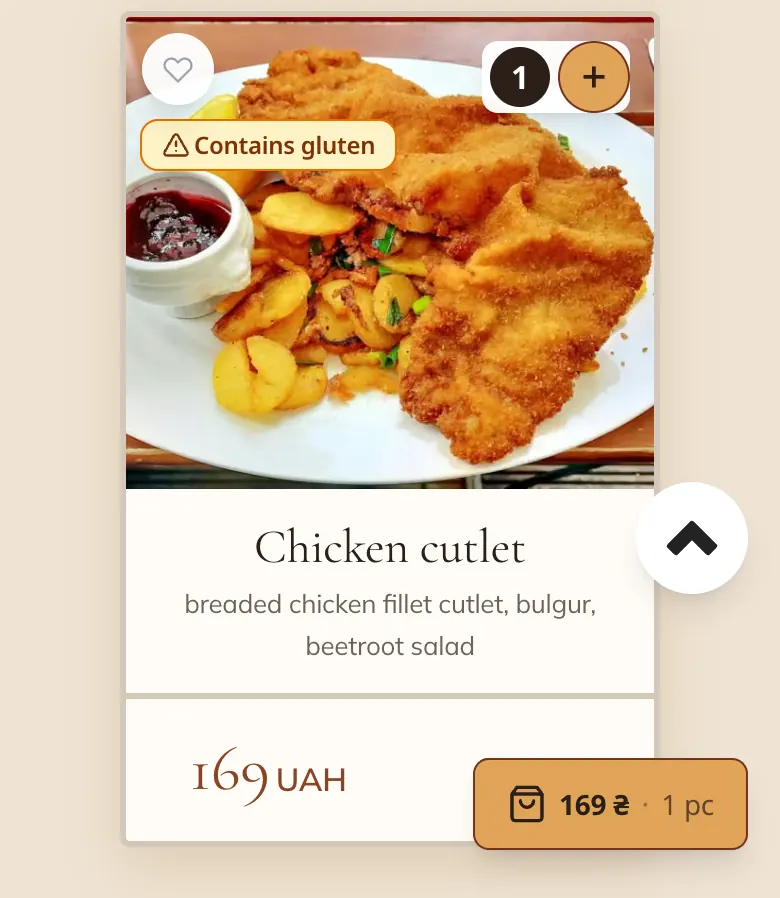
Ingredients written as text have to be translated and checked for every language separately. Allergen marks are simpler: you set them once, and a digital menu shows the allergen’s name in the guest’s language without a separate translation. The ingredients text stays: the marks complement it rather than replace it.
How many languages you need
Start with English: most visitors understand it. Then add your guests’ languages: if there is a university nearby with international students, or a district popular with tourists from Germany, add their language. A café run by an immigrant community starts with the language of the country and keeps its own language and English for its community and for tourists.
How to find out your guests’ languages
Ask your waiters which language guests use when they ask about dishes.
Look at who lives and works nearby: a university, offices, hotels.
Read your Google reviews: the language of the reviews hints at the language of your guests.
If your website has visitor statistics, see which countries it is opened from.
How to show the translation to the guest
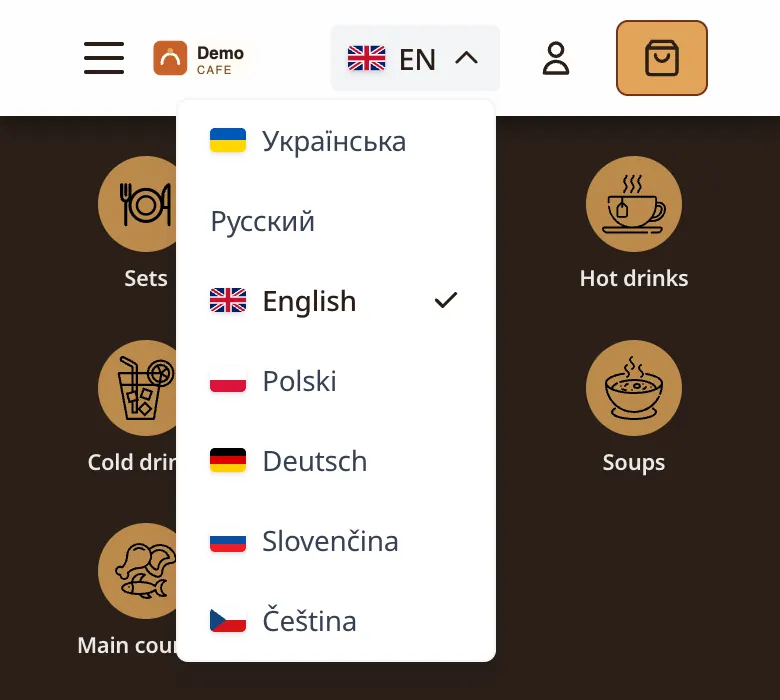
A printed menu in several languages grows into a book. A digital menu shows one language (the one the guest chose) and switches with one tap. And then one QR code works for everyone: a tourist and a local scan the same code and each reads the menu in their own language.
How Vitrina does it
The guest website interface works in up to 7 languages: Ukrainian, English, Polish, German, Slovak, Czech and Russian; you choose the set. AI translates dish names and descriptions, portions and options at the press of “Translate menu” (the whole menu, one category or one dish), and the admin panel marks fields a person hasn’t checked yet with “review”. New dishes can be translated automatically: you switch this on in the settings. Guests see the marks for the 14 EU allergens in their own language.
Frequently asked questions
Can I translate my menu with machine translation?
Yes, as a draft: a machine translates a hundred items quickly. But a person who knows the language should check the dish names, local products, ingredients and allergens before your guests see the translation.
Should I translate the names of signature dishes?
It is often better to keep the name and add a short explanation: “Varenyky (dumplings with potato filling)”. That way the guest remembers your dish, not a translation.
How many languages should a menu have?
Start with English, then add the languages of the guests who actually come to you. In Vitrina you choose the set of website languages. More on the QR menu page.