How to hand out orders faster at your café
Pre-orders, online payment, kitchen tickets and a sold-out list: how to get rid of queues at the counter and hand out orders on time at peak hours.
Vitrina team5 minute read
Contents
In short
At peak hours a guest waits three times: to order, while the kitchen learns about the order, and until they are called.
Pre-orders with online payment remove the first queue and the paying at the counter.
Kitchen tickets and a live sold-out list: the kitchen knows about the order at once, and nobody orders what has run out.
A separate pickup shelf and an order status page: guests and couriers come at the right moment instead of queueing with the dining room.
Where the time goes
At peak hours a guest waits three times: in the queue to order, while the kitchen learns about the order, and until they are called. Each of these waits can be shortened, each in its own way.
| Where the guest waits | What shortens the wait |
|---|---|
| In the queue to order | Pre-ordering on your website with online payment |
| While the kitchen learns about the order | A kitchen ticket that prints by itself |
| Until they are called | An order status page and a separate pickup shelf |
Take the order before the guest arrives
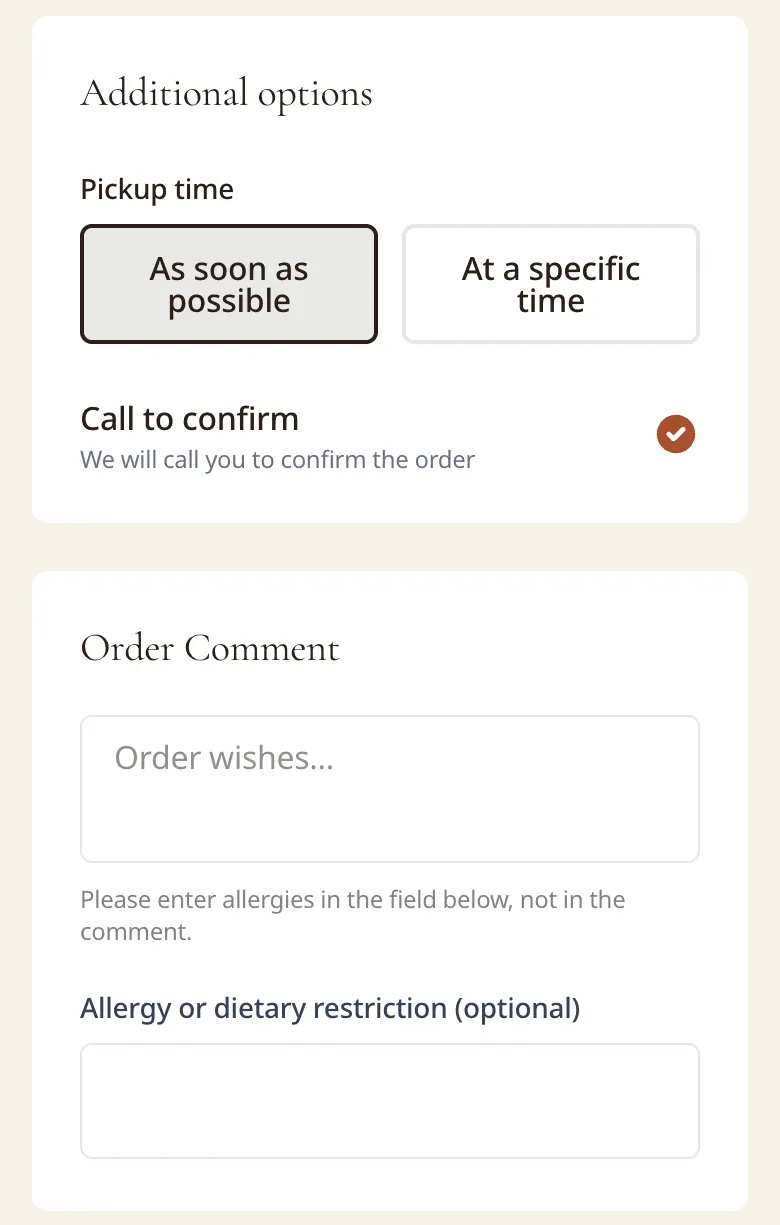
Pre-ordering on your website is the simplest way to get rid of the queue. The guest picks a coffee and breakfast on the way, pays online and says when they will arrive. You prepare it for their arrival, and they pick it up without queueing.
Send the order to the kitchen straight away
An order passed to the kitchen by voice gets lost and mixed up. A kitchen ticket prints by itself as soon as the order is accepted: dishes with portions and quantities, the guest’s comment (allergies on the first line) and where the order goes: to a table, takeaway or delivery. The cook doesn’t have to ask again, and the waiter doesn’t run between the dining room and the kitchen.
Keep the sold-out list up to date in real time
The guest who waits longest is the one who ordered a dish that has already run out. A sold-out list that removes finished dishes from the online menu at once saves you refunds and re-orders.
Online payment speeds up pickup
When the order is already paid, handing it out is just “here you go, enjoy”. Online payment takes paying and counting change out of the pickup, and the guest doesn’t stand at the counter waiting for a payment to go through.
Tell the guest when it’s ready
A page with the order status (“accepted”, “being prepared”, “ready”) answers “so where is it?” and lets the guest come up at exactly the right moment. Fewer calls to your café, and fewer people standing at the counter “just to wait”.
Separate the pickup flows
Couriers, pickup guests and the dining room shouldn’t share one queue. Set aside a separate shelf or spot at the counter for takeaway orders and label the bags with the order number: then handing out takes seconds, and couriers don’t wait while the dining room is served.
A pickup shelf that works
A separate spot by the entrance or the counter, where guests and couriers see it straight away.
Every bag carries the order number.
Hot and cold orders don’t stand side by side.
Couriers take orders from the shelf without joining the dining-room queue.
Measure
Write down how many minutes pass from order to pickup on a weekday and at peak time. Measure again a month after the changes, and you will see what worked.
How Vitrina does it
Pre-orders for a set time, online payment straight to your account, a tracking page for the guest and one sold-out list for the website and the QR menu are on the online ordering page. Printed kitchen tickets come with the “Full” plan.
Frequently asked questions
How do I get rid of the queue at the counter at peak hours?
Take part of the orders in advance: pre-orders on your website with online payment and a pickup time. The guest picks up a ready order from the pickup shelf, and the counter queue is left to those who decide on the spot.
Do I need a kitchen printer?
If orders now reach the kitchen by voice or on scraps of paper, then yes: the ticket prints by itself as soon as the order is accepted, with the dishes, quantities and the guest’s comment. In Vitrina, printed kitchen tickets come with the “Full” plan.
How does the guest know the order is ready?
From the order status page: “accepted”, “being prepared”, “ready”. Then the guest comes up at the right moment instead of asking at the counter. More on the online ordering page.